How to Find Your Store ID
Your Store ID is a unique identifier that you'll need when making API calls to the Wuilt Commerce API. This guide will show you how to find your Store ID from your Wuilt dashboard.
Steps to Find Your Store ID
1. Navigate to Your Store
Log in to your Wuilt dashboard and navigate to your store management area.
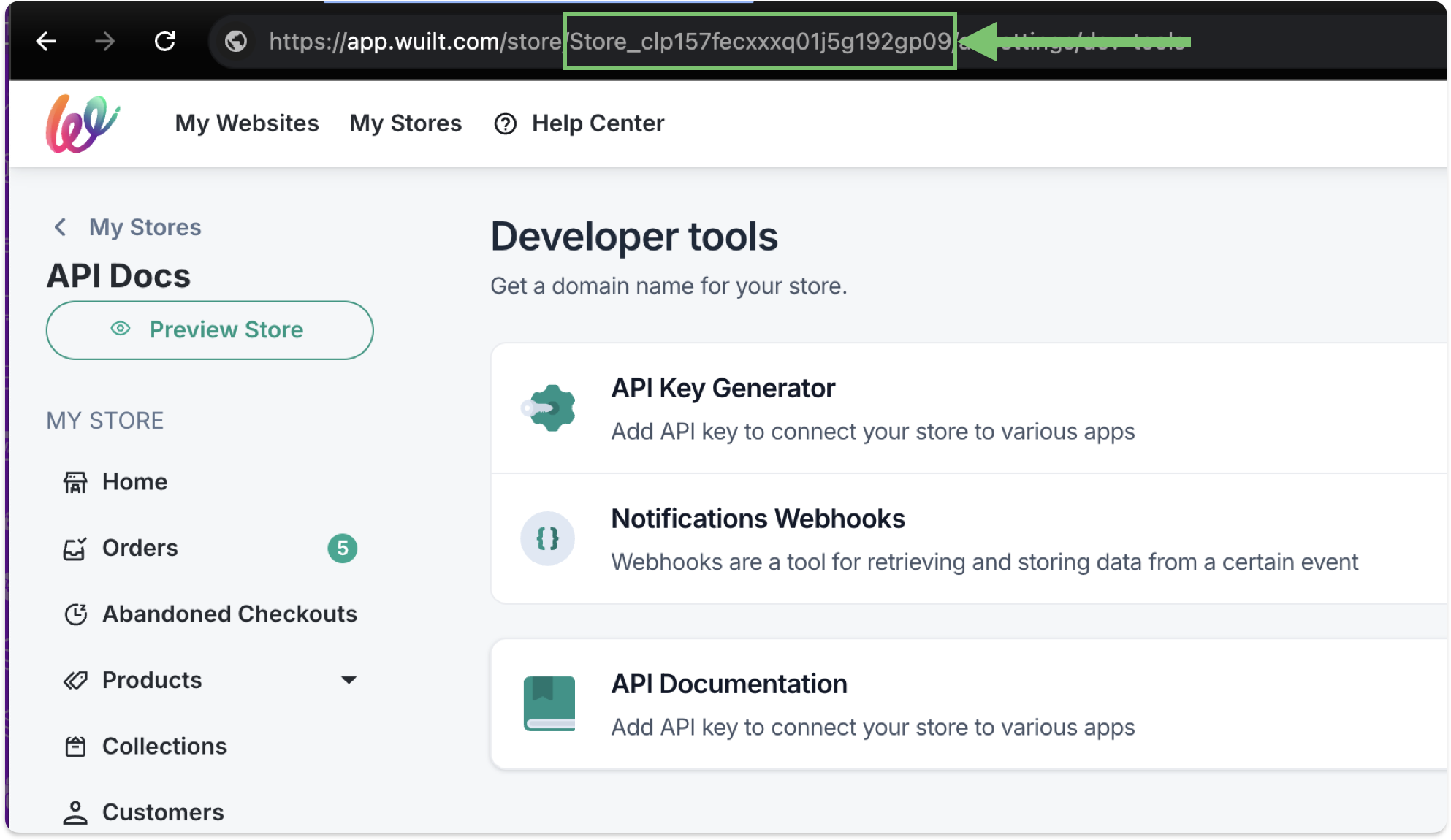
2. Check the Address Bar
Once you're in your store, look at the address bar in your browser. Your Store ID will be visible right after the /store/ path in the URL.
The URL structure will look like this:
https://app.wuilt.com/store/[YOUR_STORE_ID]/...
3. Copy Your Store ID
Your Store ID is the alphanumeric string that appears after /store/ in the URL. It typically looks like:
Store_clp157fecxxxq01j5g192gp09
Using Your Store ID
Once you have your Store ID, you can use it in your API calls. For example:
query GetProducts($storeId: String!) {
  products(storeId: $storeId) {
    edges {
      node {
        id
        title
        handle
        status
      }
    }
  }
}
With variables:
{
  "storeId": "Store_cm9n7vl4w0cf801fl0ow8a98g"
}
Important Notes
- Keep it secure: Your Store ID is sensitive information. Don't share it publicly or commit it to version control.
- Environment variables: Store your Store ID in environment variables for production applications.
- Multiple stores: If you manage multiple stores, each will have its own unique Store ID.
Need Help?
If you're having trouble finding your Store ID or have questions about using it in your API calls: